- Log in to GreenCheck using the URL shared by the Admin
- After logging in, use the menus: Menu--> Supplier Mgmt-->Survey Invitation / Supplier-wise survey invitation.
- Use the "Survey Invitation" option if you want to trigger part-level surveys
- Is it a company-level survey? Please use "Supplier-wise survey invitation."
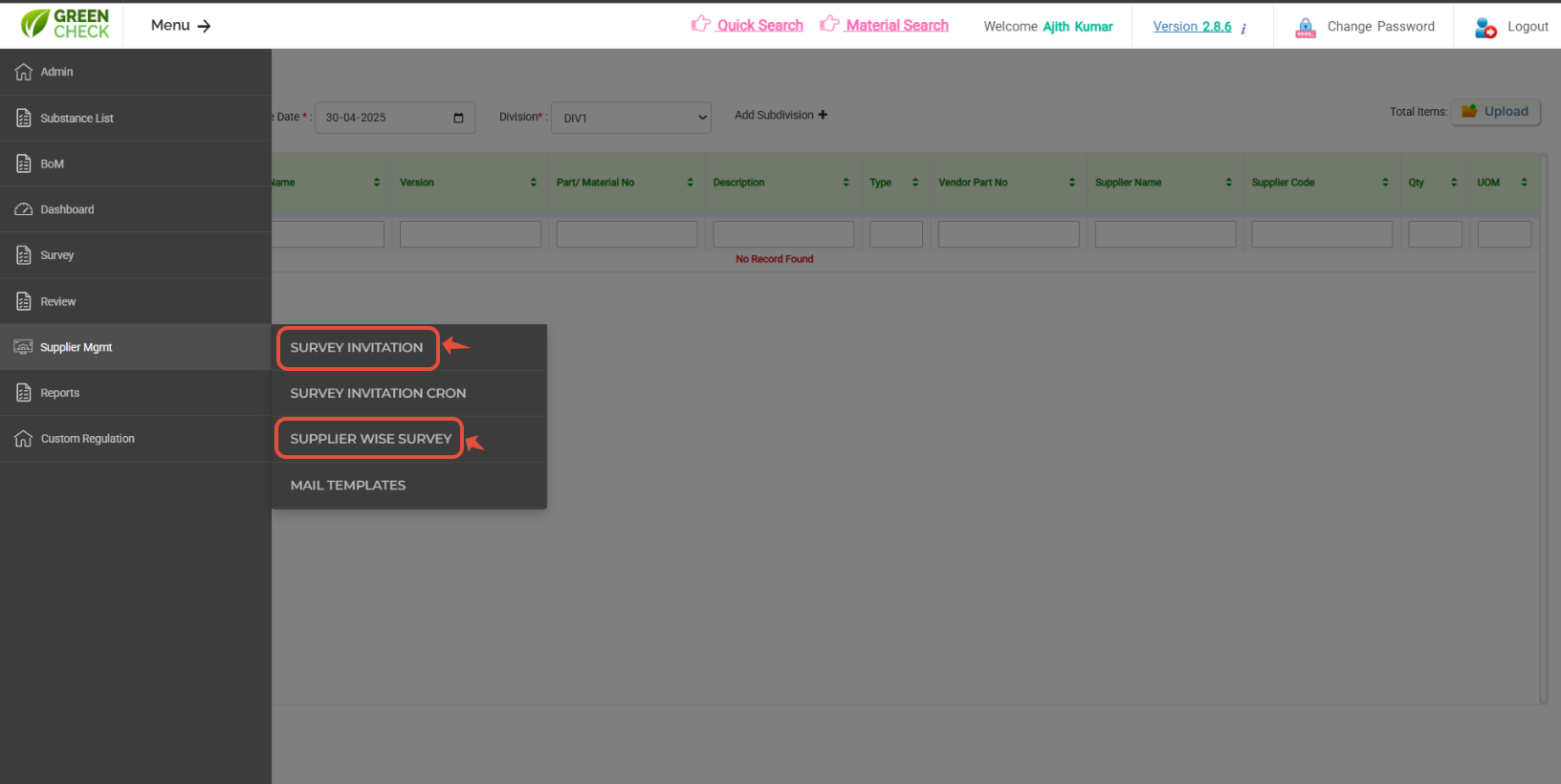
Before proceeding, please use "MAIL TEMPLATE" menu to preload your email content- Once all the above steps were completed, please select/enter the required information and choose your standarded / Custom requestion to load the Part / Supplier information.
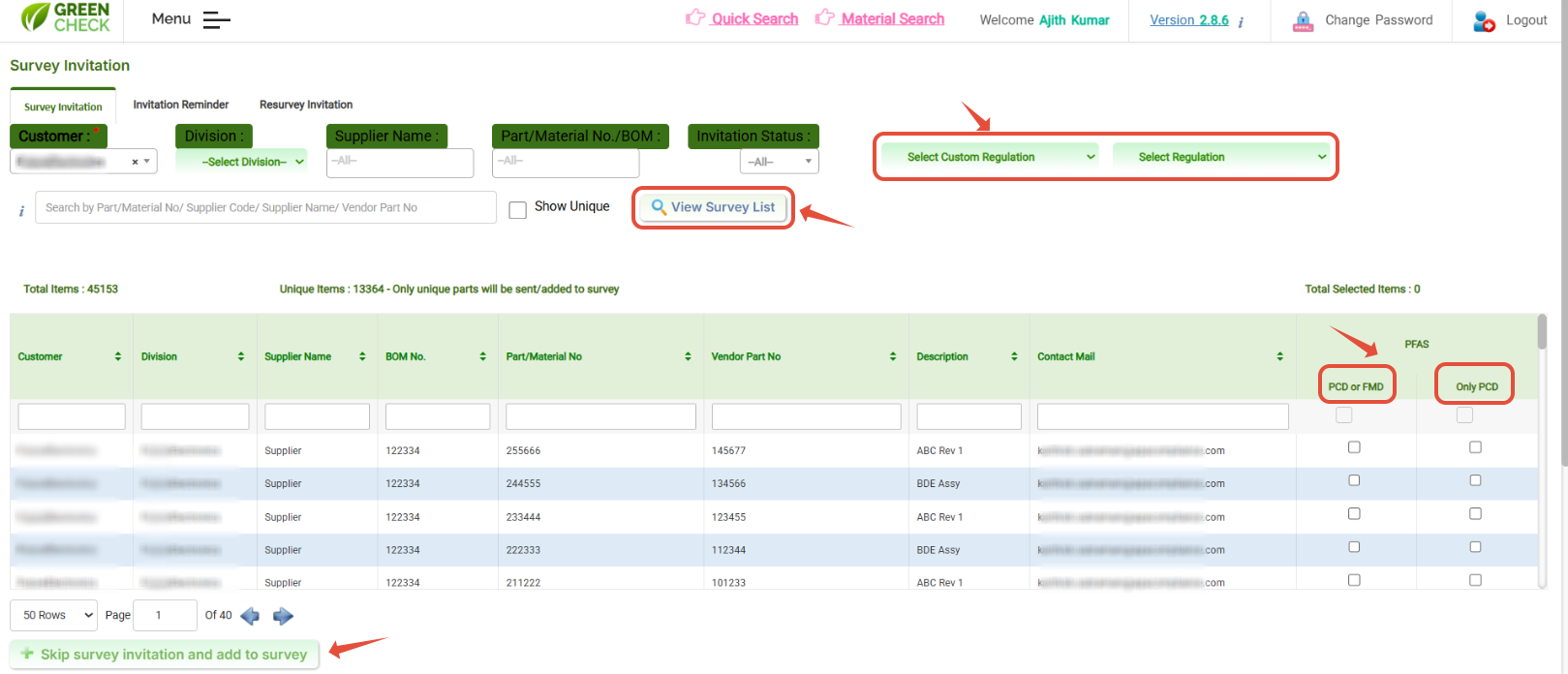
- Once Parts / Suppliers list are loaded, please use Check box to choose which type of response you are seeking form suppliers either "PCD/FMD" nor "Only PCD"?
- PCD- Product Compliance Declaration
- FMD- Full Material Disclosure
- Requestor can define the response type as either "PCD/FMD" or "Only PCD"
- If it is "PCD/ FMD," the supplier either responds to PCD or FMD nor both, to complete the survey.
- If it is "Only PCD," the supplier should respond to all required information and complete the survey.
You can also skip the supplier invitaion by using "SKIP SUPPLIER INVITATION"
- After that, please select the mail template that you want to trigger to the suppliers.
- You can add your/ respective members to "CC/ BCC" if required. Also, you can use the automation Keys- Drag and drop to print the respective informations in the email body.
- You can add multiple attachments upload 50MB if required
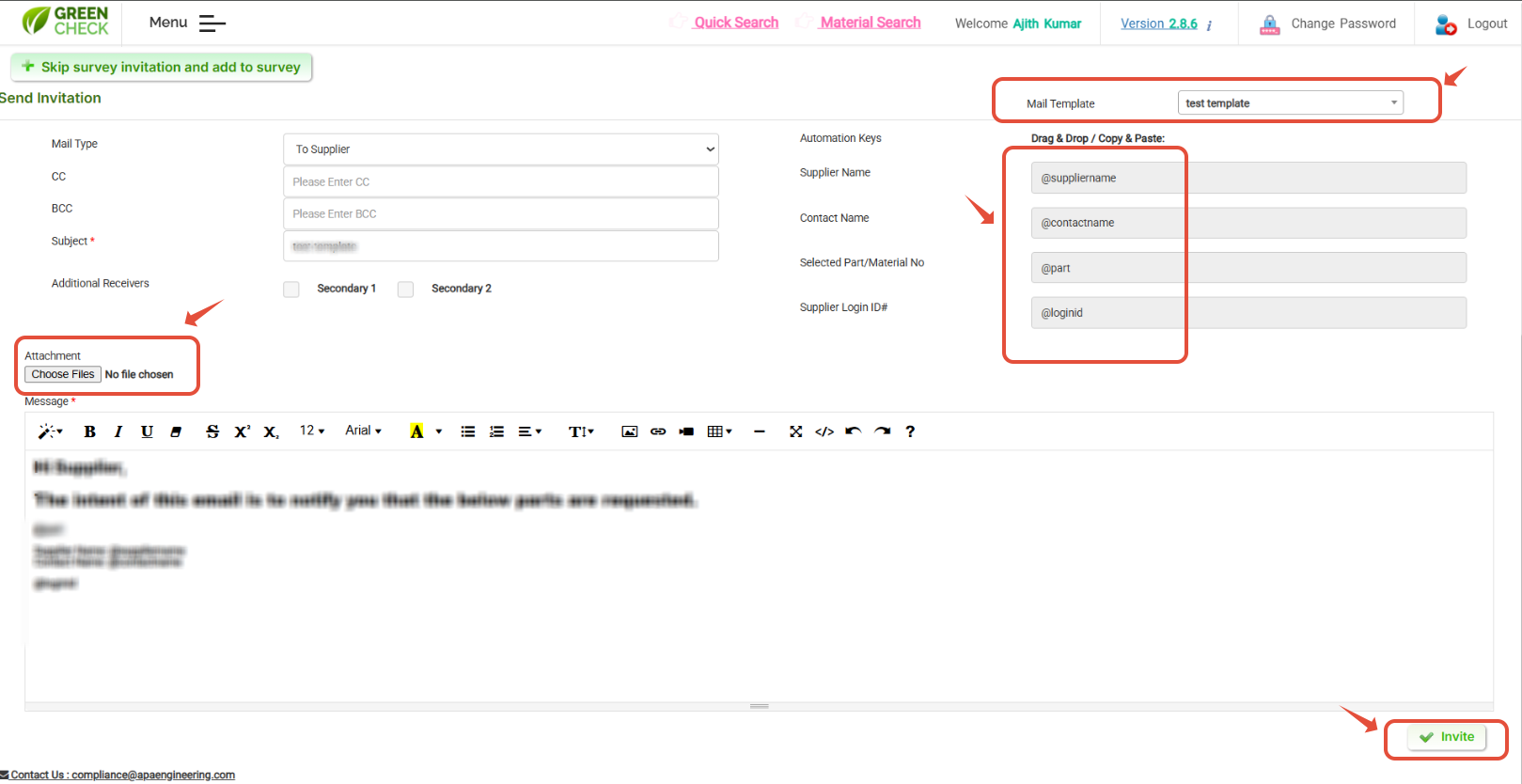
Use "Invitation Reminder" & "Re-survey Invitation" for sending reminders and resurvey the same.Was this article helpful?
That’s Great!
Thank you for your feedback
Sorry! We couldn't be helpful
Thank you for your feedback
Feedback sent
We appreciate your effort and will try to fix the article