- Log in to GreenCheck using the URL shared by the Admin
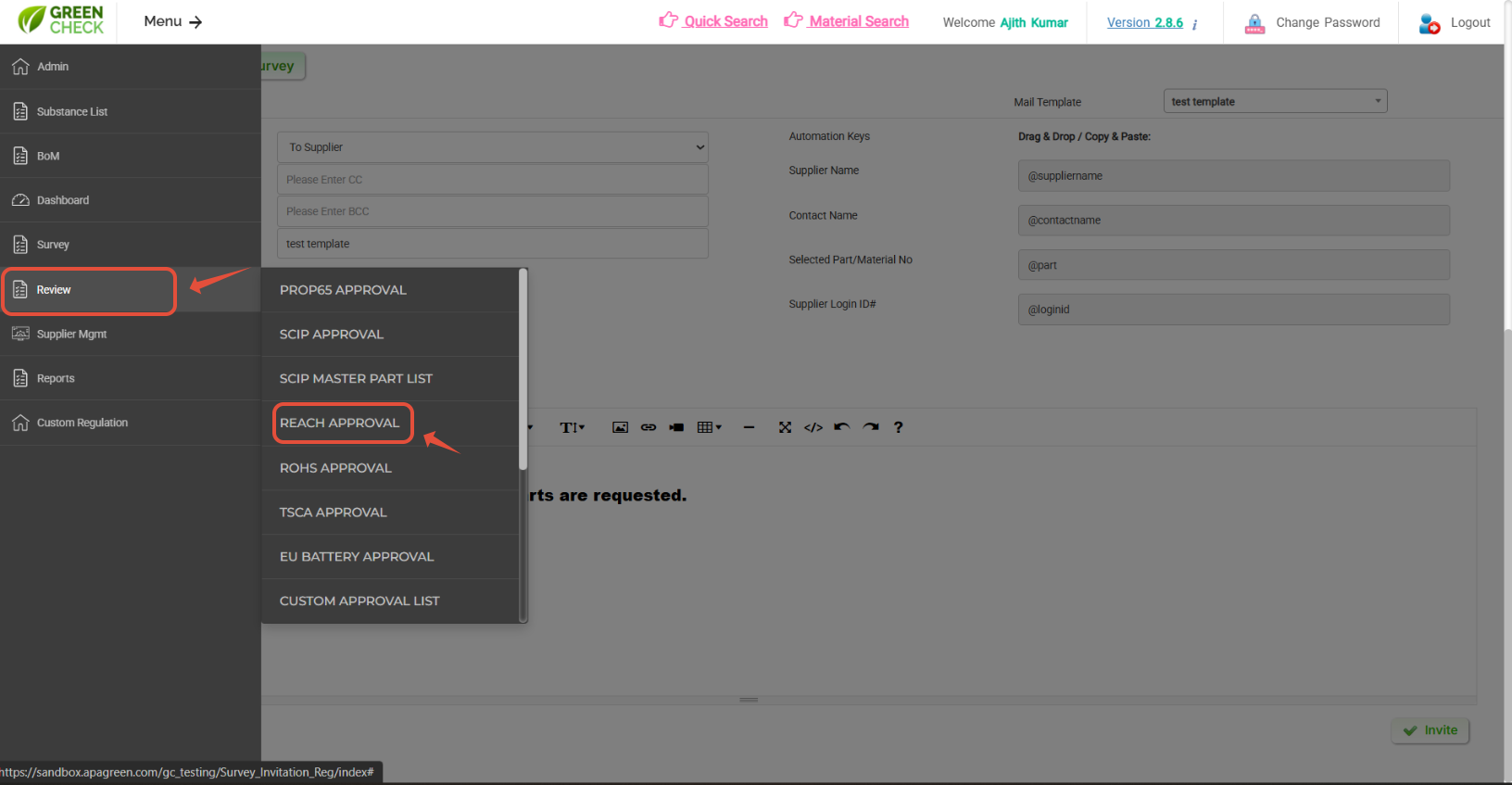
- After logging in, use the menus: Menu--> Review-->Select respective regulations to Approve
- You can see the respective regulations parts were listed with supplier responses.
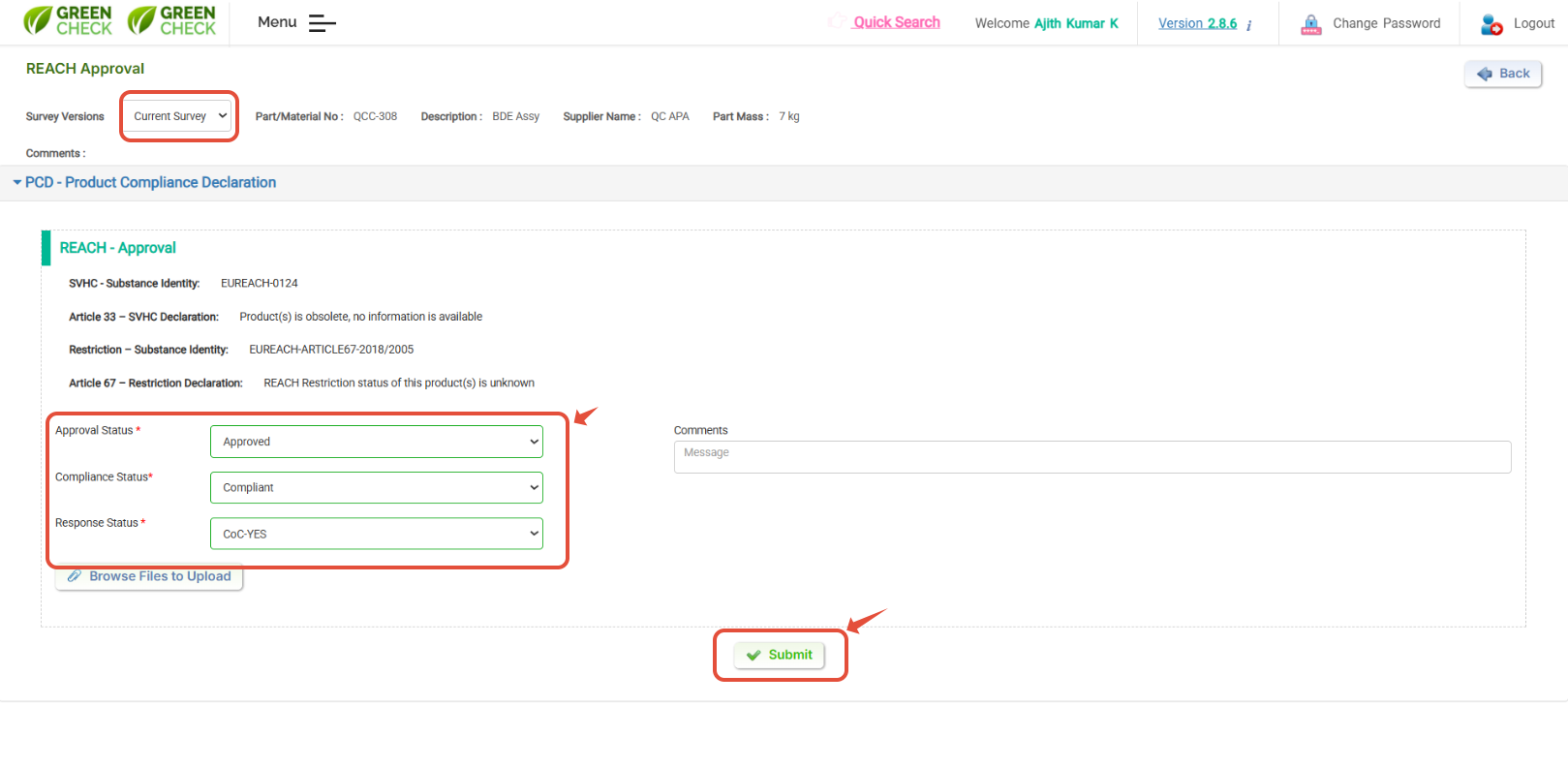
- Hit on "Part/ Material No:" to view the supplier response, and based on supplier data, you can "Approve/ Reject"
Hit on Part /Material No;" to view the response and approve , Use "Bulk Update" to do bulk approval.
Vaildate & based on supplier data, you can "Approve/ Reject
Was this article helpful?
That’s Great!
Thank you for your feedback
Sorry! We couldn't be helpful
Thank you for your feedback
Feedback sent
We appreciate your effort and will try to fix the article