- Log in to GreenCheck using URL shared by the Admin
- After logging in, use menus as follows: Menu--> BoM-->ADD BOM/ CATEGORY.
- Enter the required information and hit Upload to download the standard template to import the BoM.

Use an standard template to load the BoM and hit on upload to import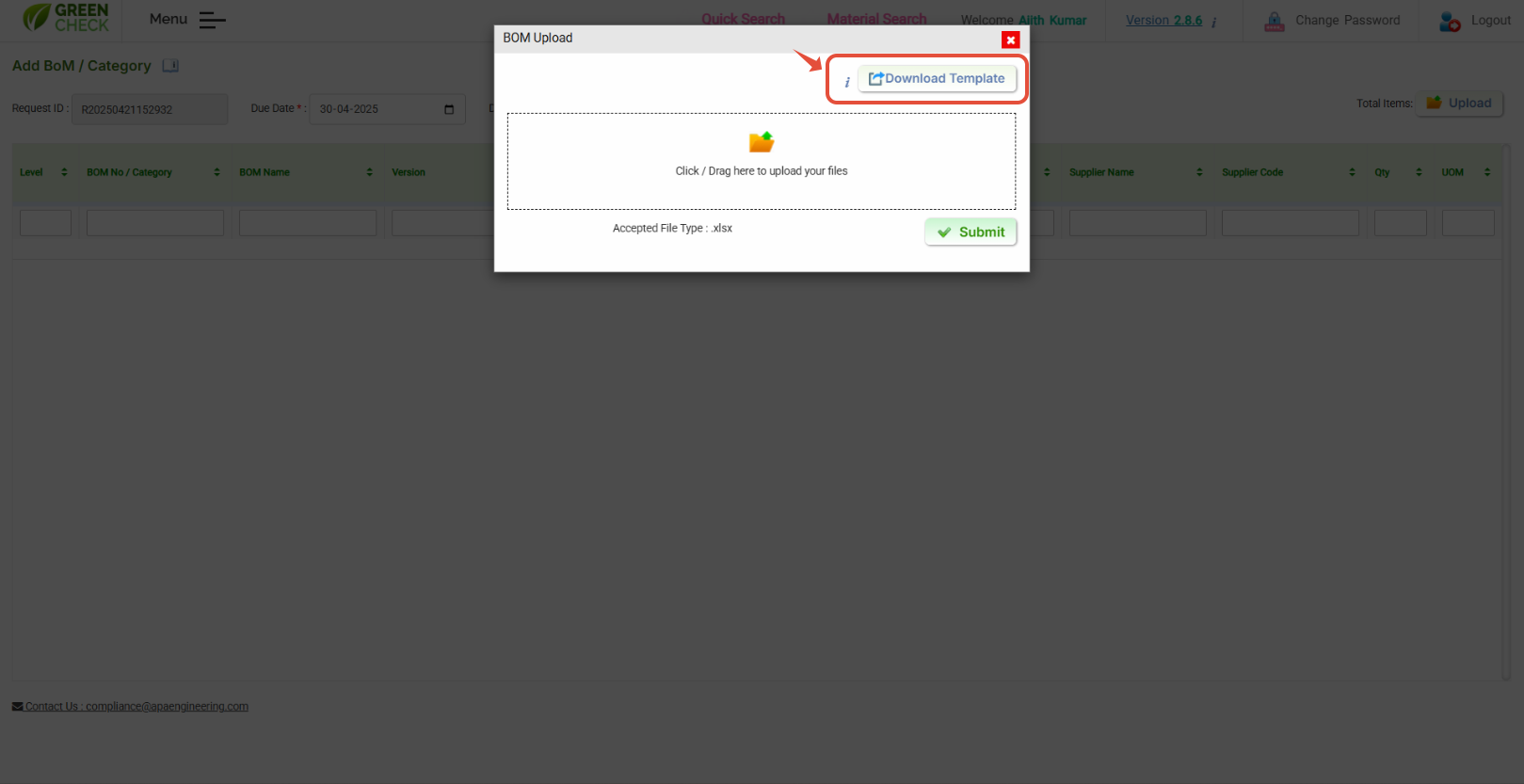
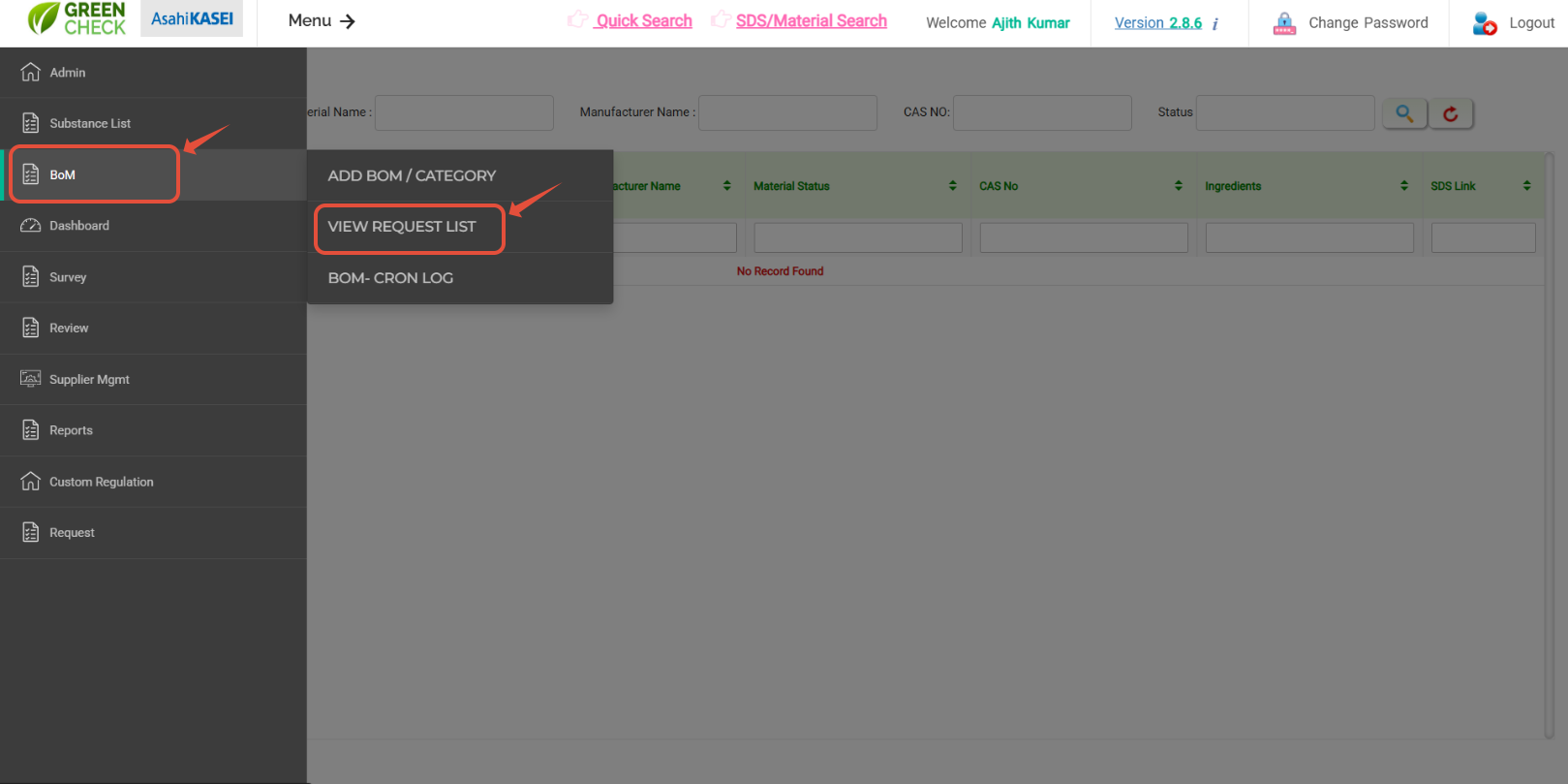
You can also view / edit the uploaded BoM using "View request list" option - To view/edit the imported BoM use menus as follows: Menu--> BoM-->View Request List
- You can see all the BoM you have imported into GreenCheck.
Hit on "Request Id" to view the BoM, to edit use Action options to do an edit delete the line items.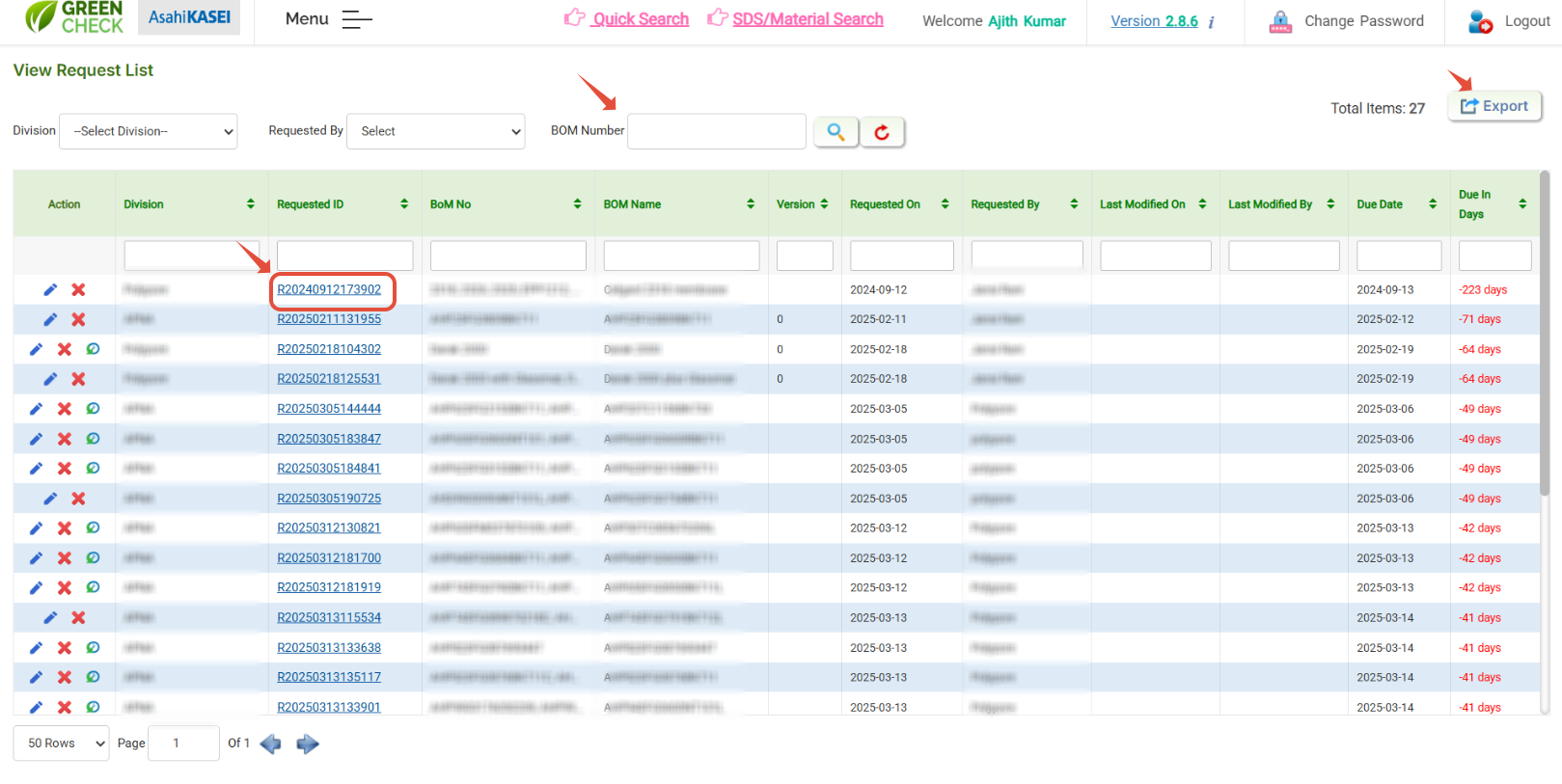
Also, those changes will be captured in the "modification history" option.
Was this article helpful?
That’s Great!
Thank you for your feedback
Sorry! We couldn't be helpful
Thank you for your feedback
Feedback sent
We appreciate your effort and will try to fix the article