- Log in to GreenCheck using the URL shared by the Admin
- After logging in, use the menus: Menu--> Reports-->Declaration report.
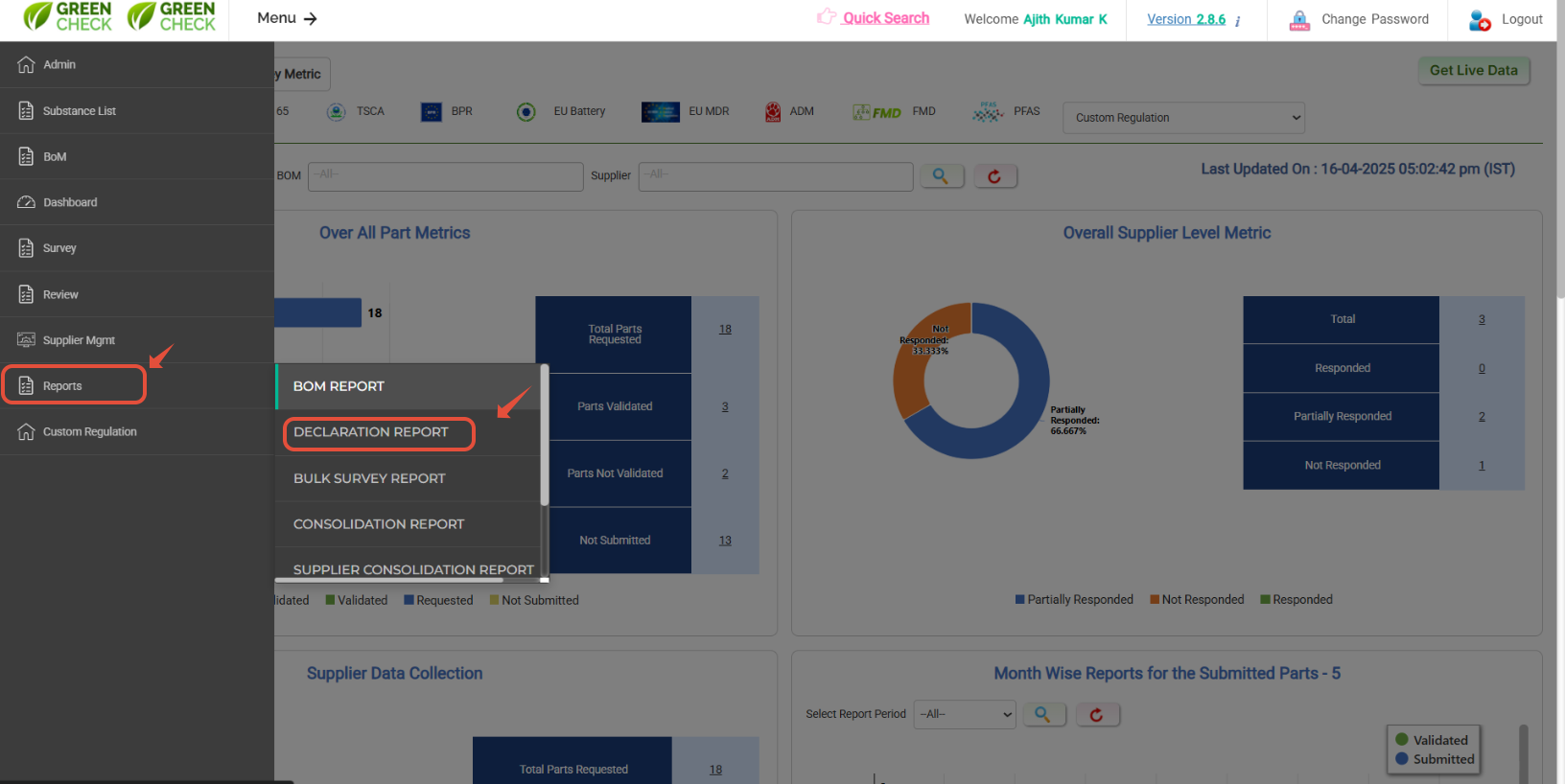
Standard regulations would be in Tab-wise- Hit on the Regulation Name to which you need to generate the CoC / Declaration report.
- Select the "Client" & "Part type" (BoM/ Component/ Supplier) to whcih you prefer to generate the report.
- Once, all the required informations is provided, hit in search button to load the respective information in the grid below.
- Use "upload" option to select the custom BoM/ Component/ Supplier.
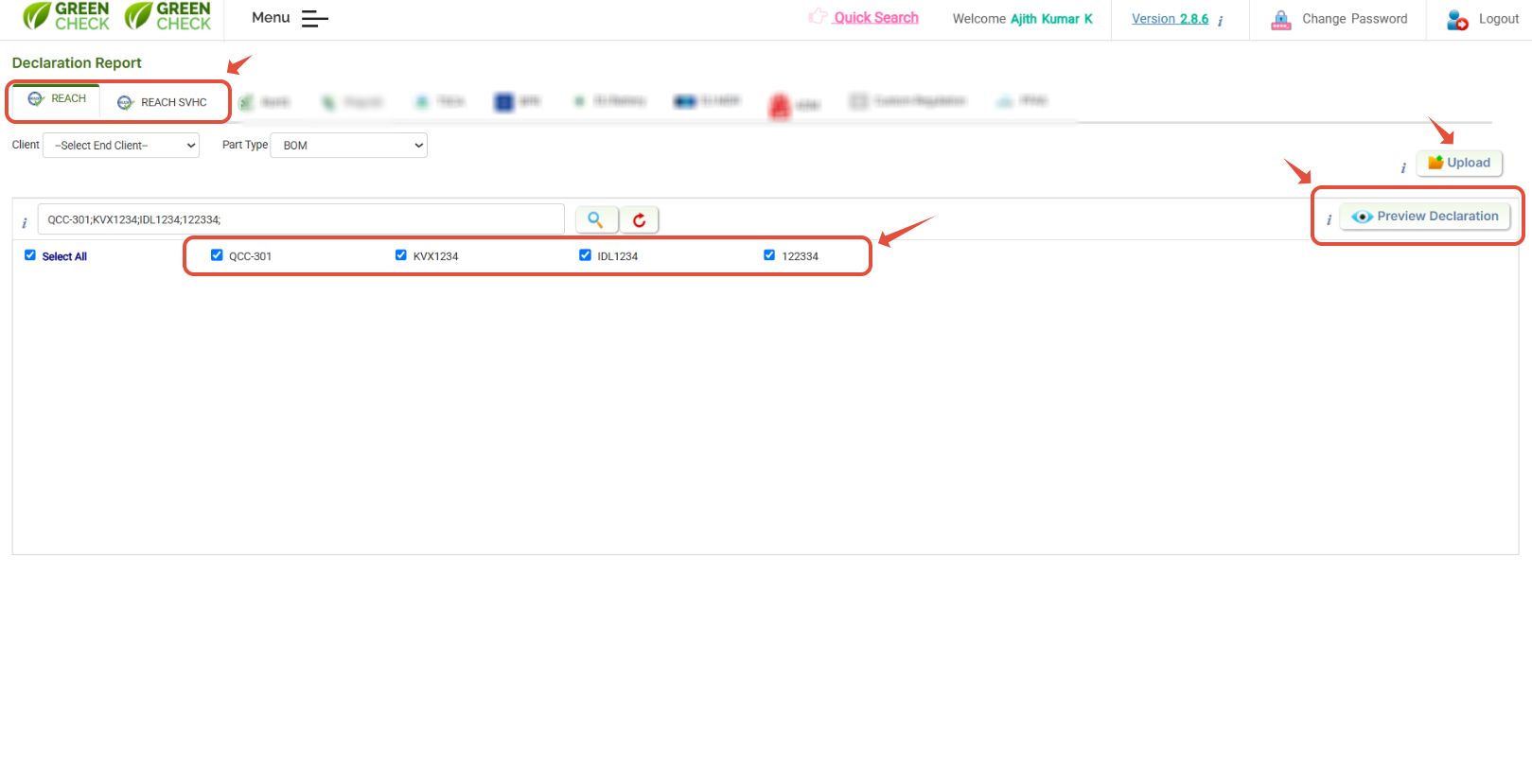
- Once loaded, select the BoM/ Component/ Supplier to generate the report
- Hit on "preview declaration to view/download the declaration / CoC accrodingly.
- You can download CoC in PDF as well as in a Word document or both.

Was this article helpful?
That’s Great!
Thank you for your feedback
Sorry! We couldn't be helpful
Thank you for your feedback
Feedback sent
We appreciate your effort and will try to fix the article