- Log in to GreenCheck using the URL shared by the Admin
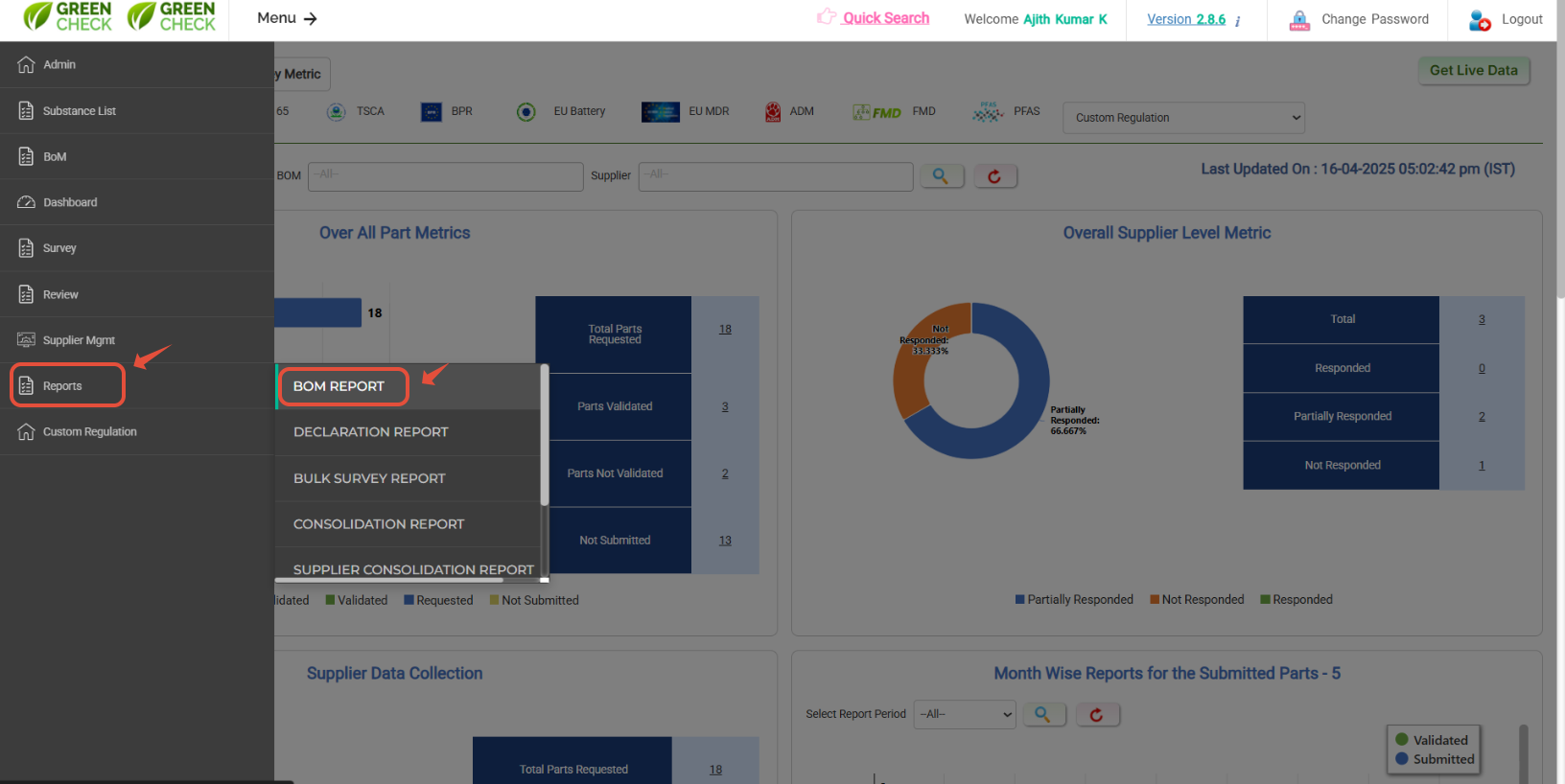
- After logging in, use the menus: Menu--> Reports-->BoM report
Use respective filters to load the data accordingly- Select the "BOM#" for which you want to generate the report
- Also, select the regulation in the "Regulation" dropdown to view the responses.
- Each filter has a multi-select option to view a multi-BoM report in a single spreadsheet.
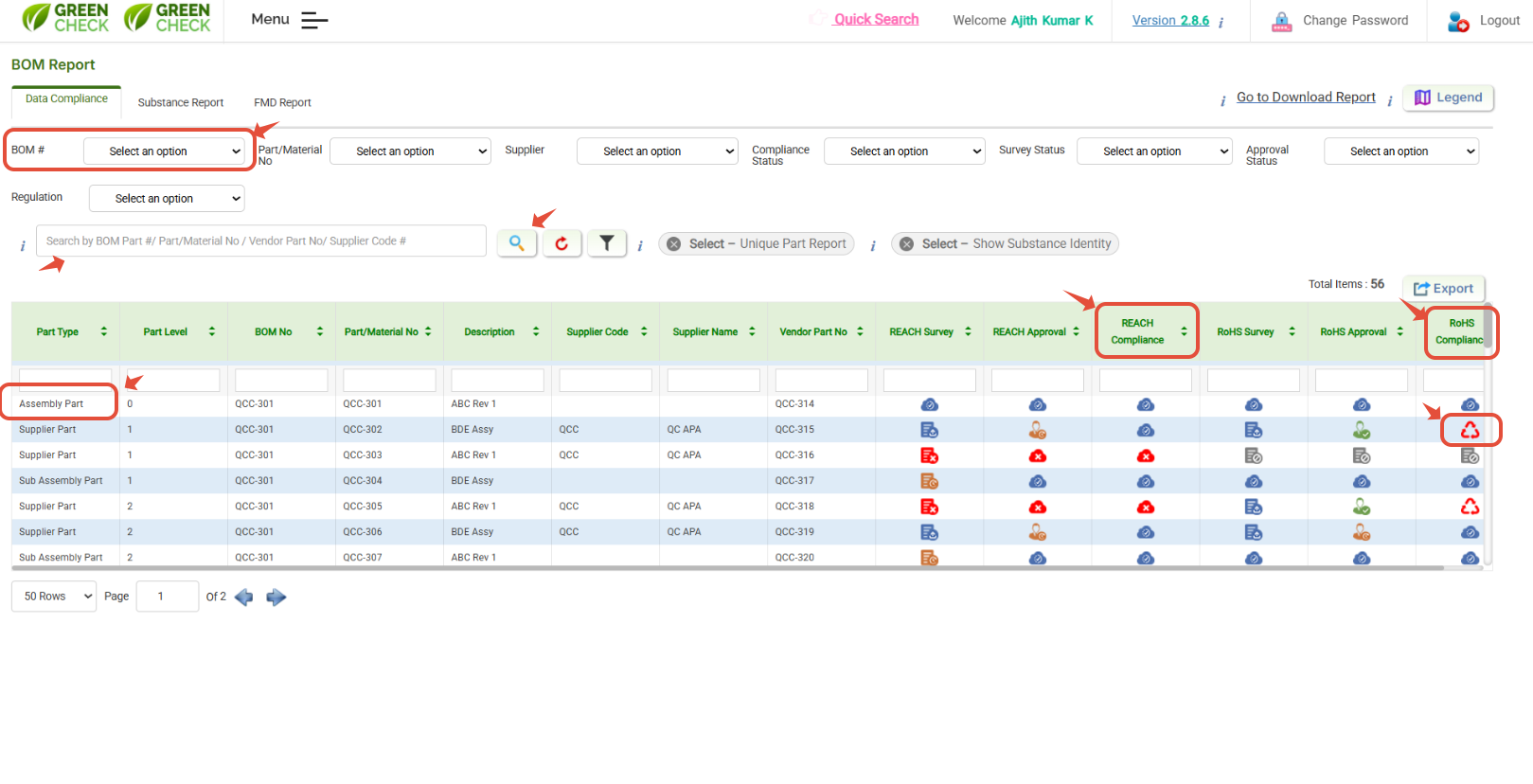
You can also use other tabs for "Substance report" and "FMD report"
- Use the "Substance report" option to load a compliance status with Substance in a particular BoM.
- Also, use "FMD report" to view and download the assembly-level FMDs from the Database.
- Also, to know about the info about the Icon used in GC, use /Hit on Legend to view the respective information.
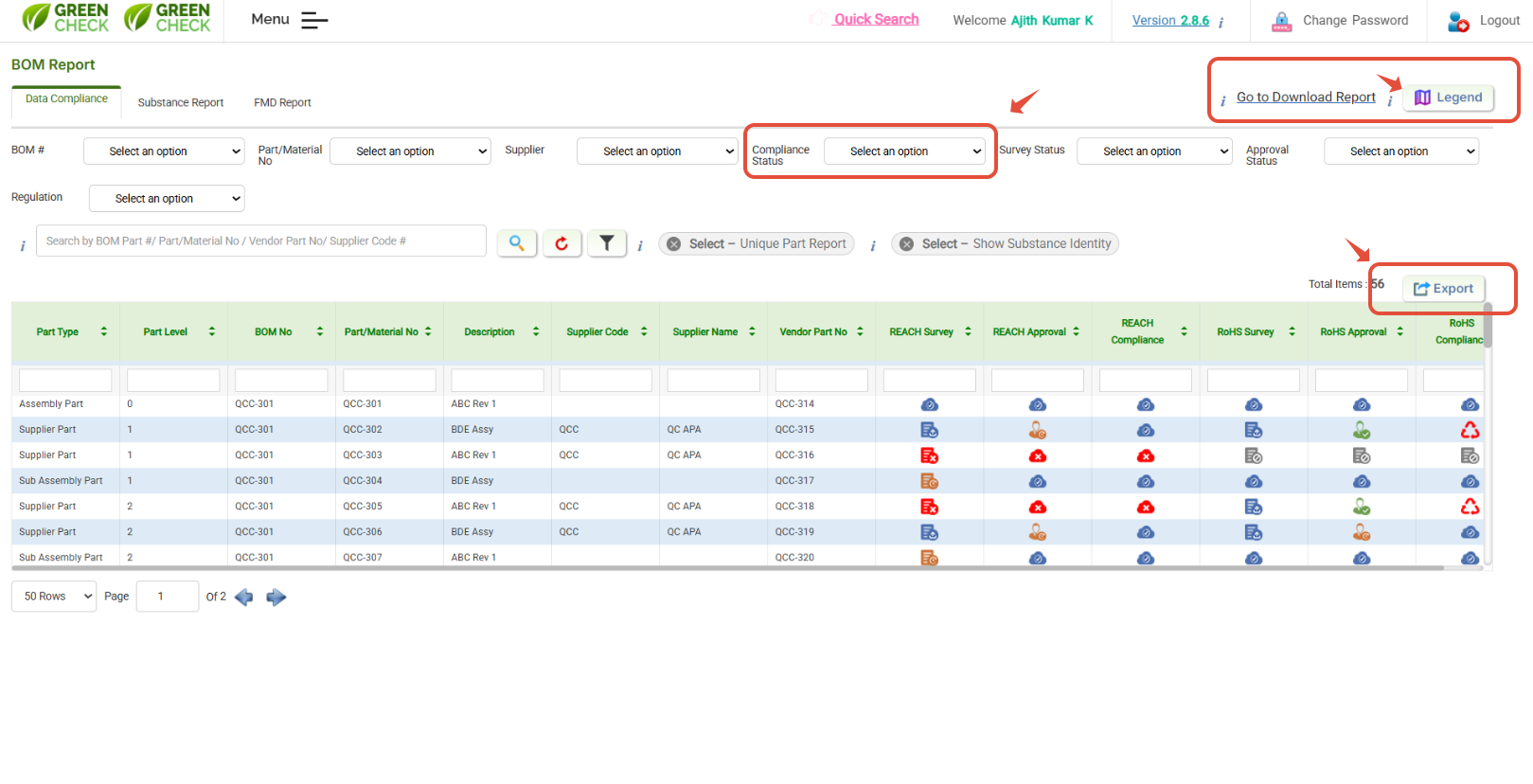
- You can hit the "Export" button to download reports in a spreadsheet.
- Also, you can filter and export based on respective compliance-wise e.g, "Only compliant" "only non-compliant".
Was this article helpful?
That’s Great!
Thank you for your feedback
Sorry! We couldn't be helpful
Thank you for your feedback
Feedback sent
We appreciate your effort and will try to fix the article