- Log in to GreenCheck using the URL shared by the Admin
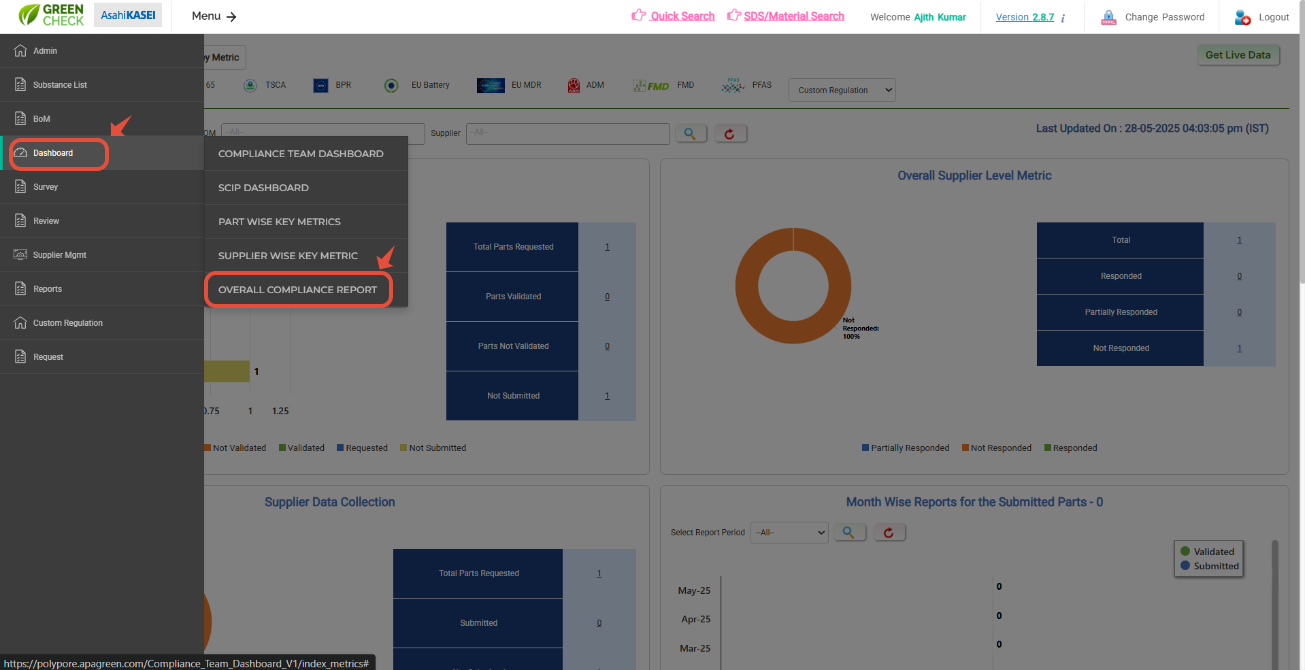
- After logging in, use the menus: Menu--> Dashboard-->Over all Compliance report.
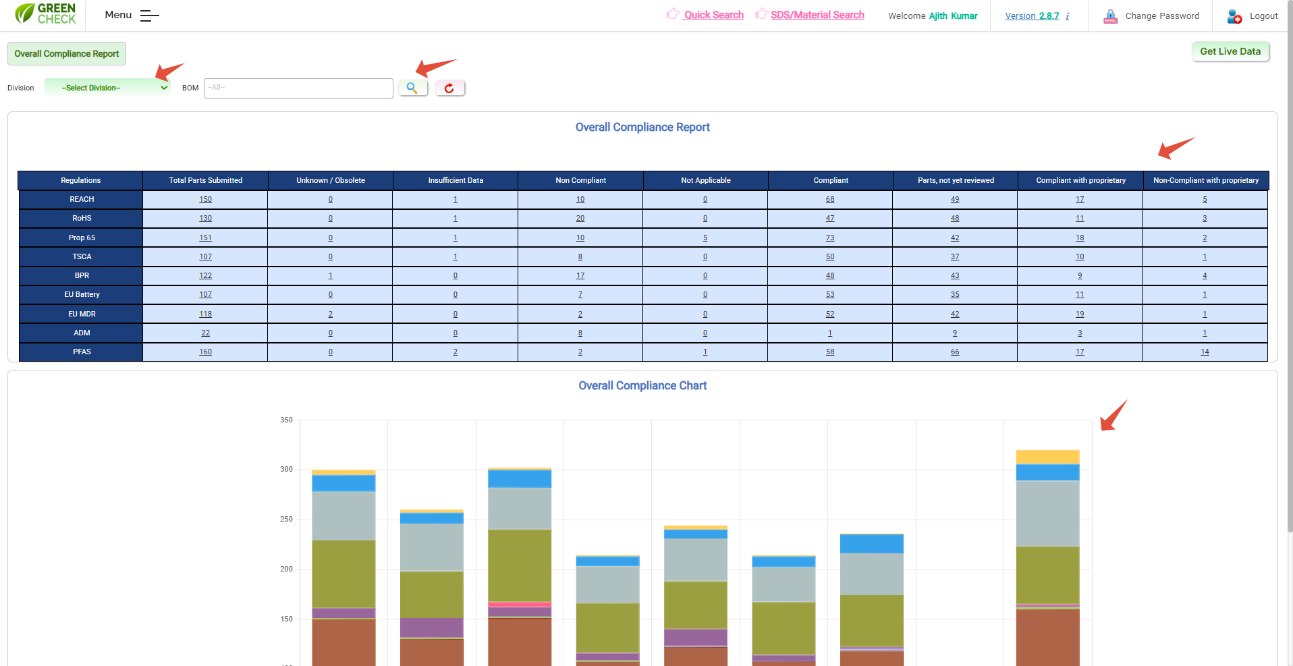
A page with table and charts will be loaded with respective regulation data- Use division filters to filter and view the data for a particular division.
- Also, you can view the BoM-wise report with respective regiulation status regulation.
Hit on respective count to see the full data with additional attributs.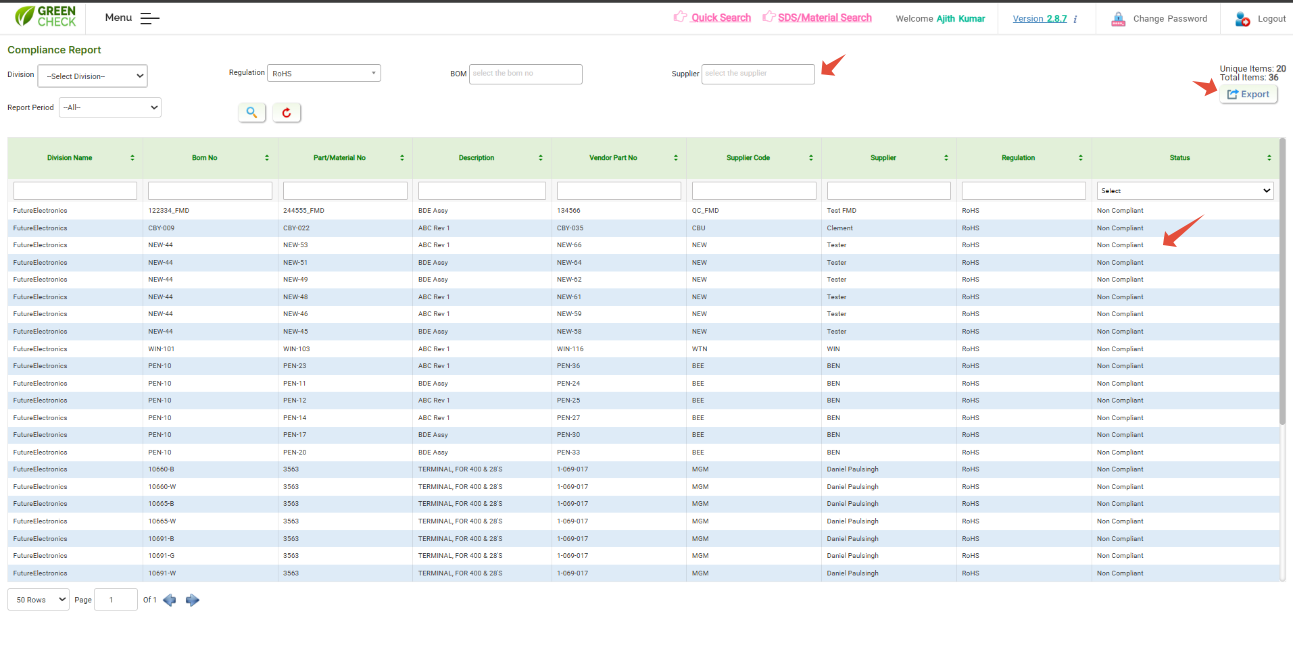
Was this article helpful?
That’s Great!
Thank you for your feedback
Sorry! We couldn't be helpful
Thank you for your feedback
Feedback sent
We appreciate your effort and will try to fix the article