- Log in to GreenCheck using the URL shared by the Admin
- After logging in, use the following menus: Menu--> Admin-->Material Master
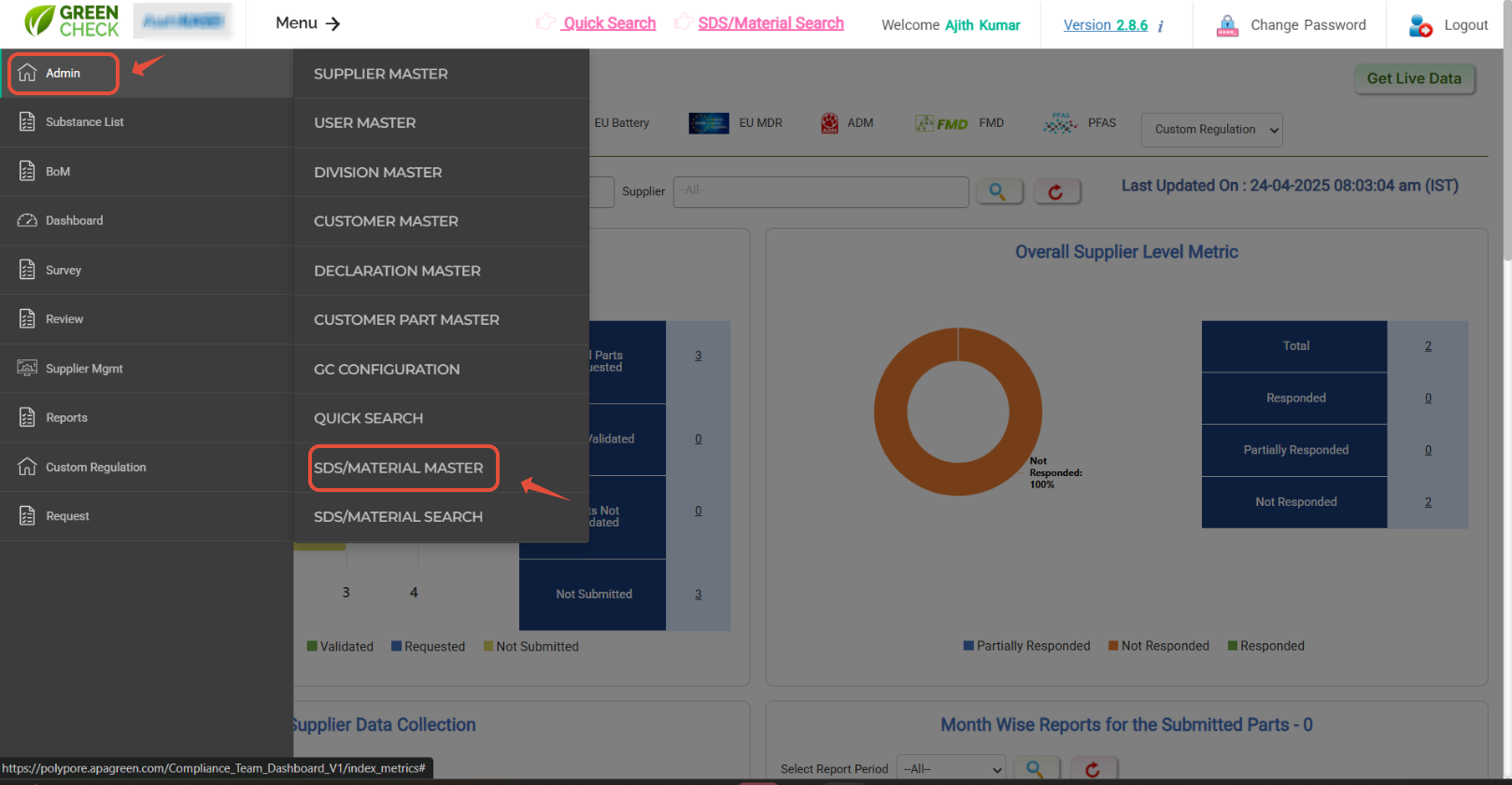
- Once the "SDS/Material master" page is loaded, Hit on "Bulk Upload" option to load the material information in bulk.
- Use the "Download Zip file" button to download a Zip file.
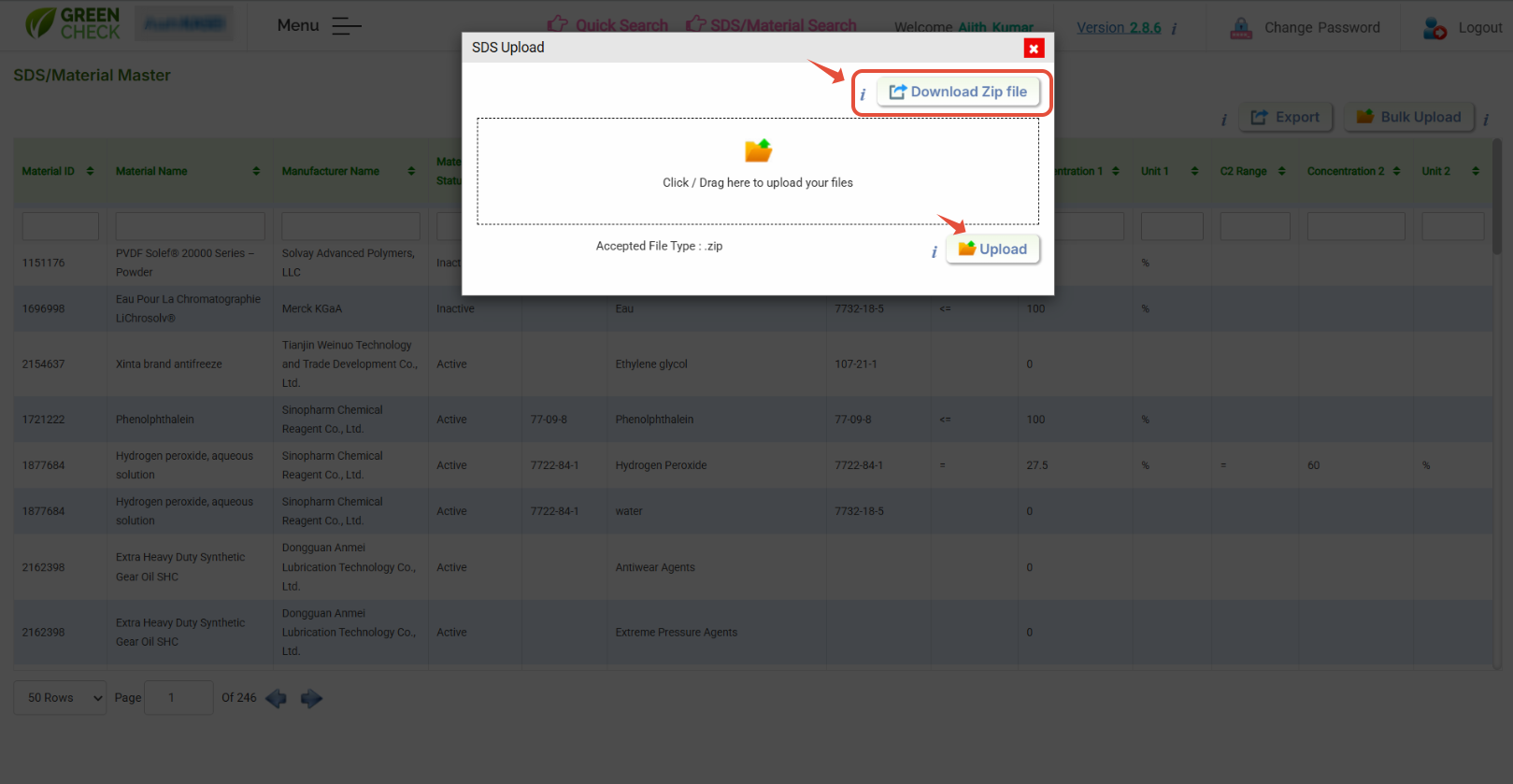
The zip file contains one standard template, "Material_Master_Template," and one SDS folder, "Import_SDS"

- Load SDS material details export data in "Material_Master_Template"
- Also, load the SDS .pdf files in the folder "Import_SDS"
We have quick link in top of the dashborad for the quick review
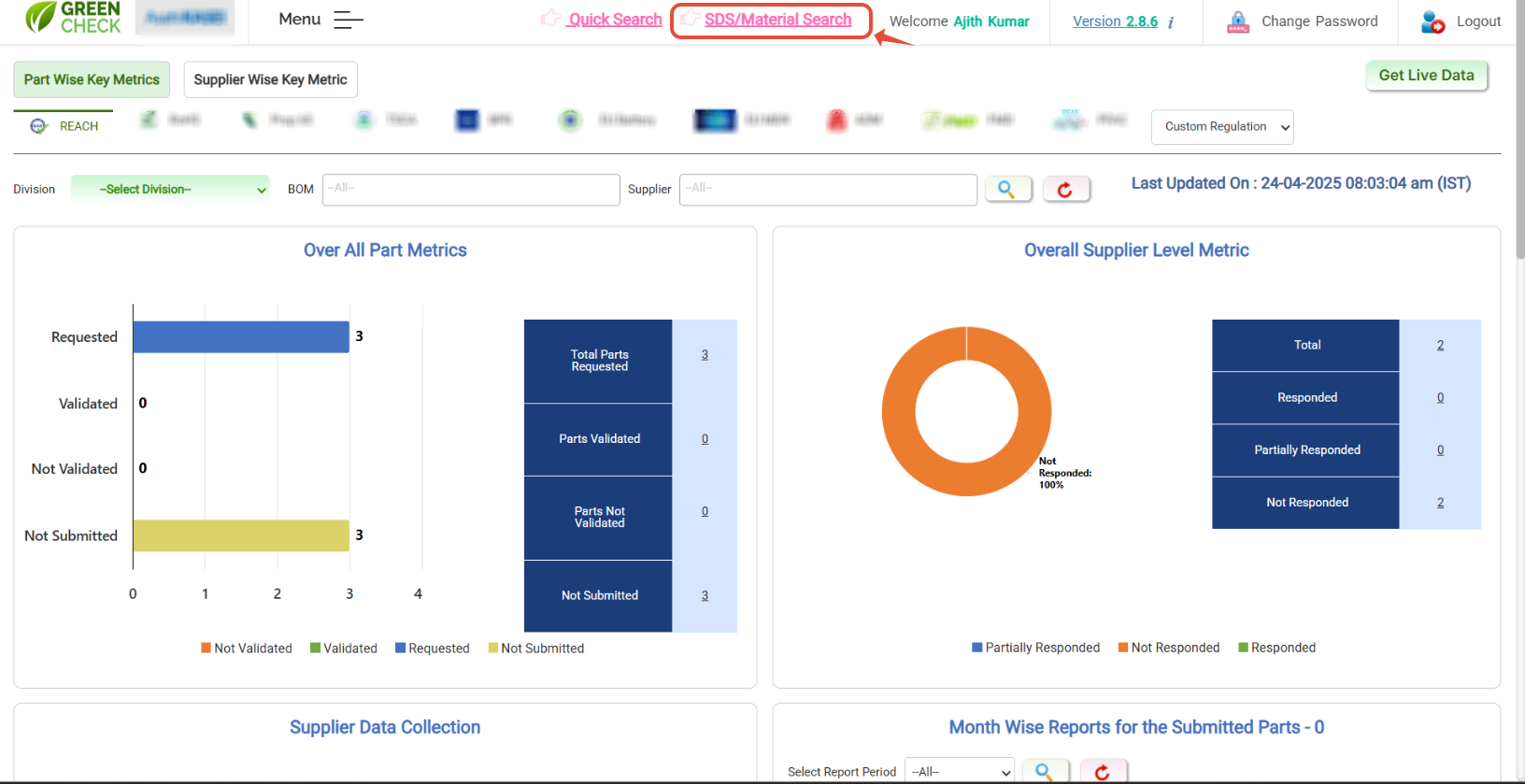
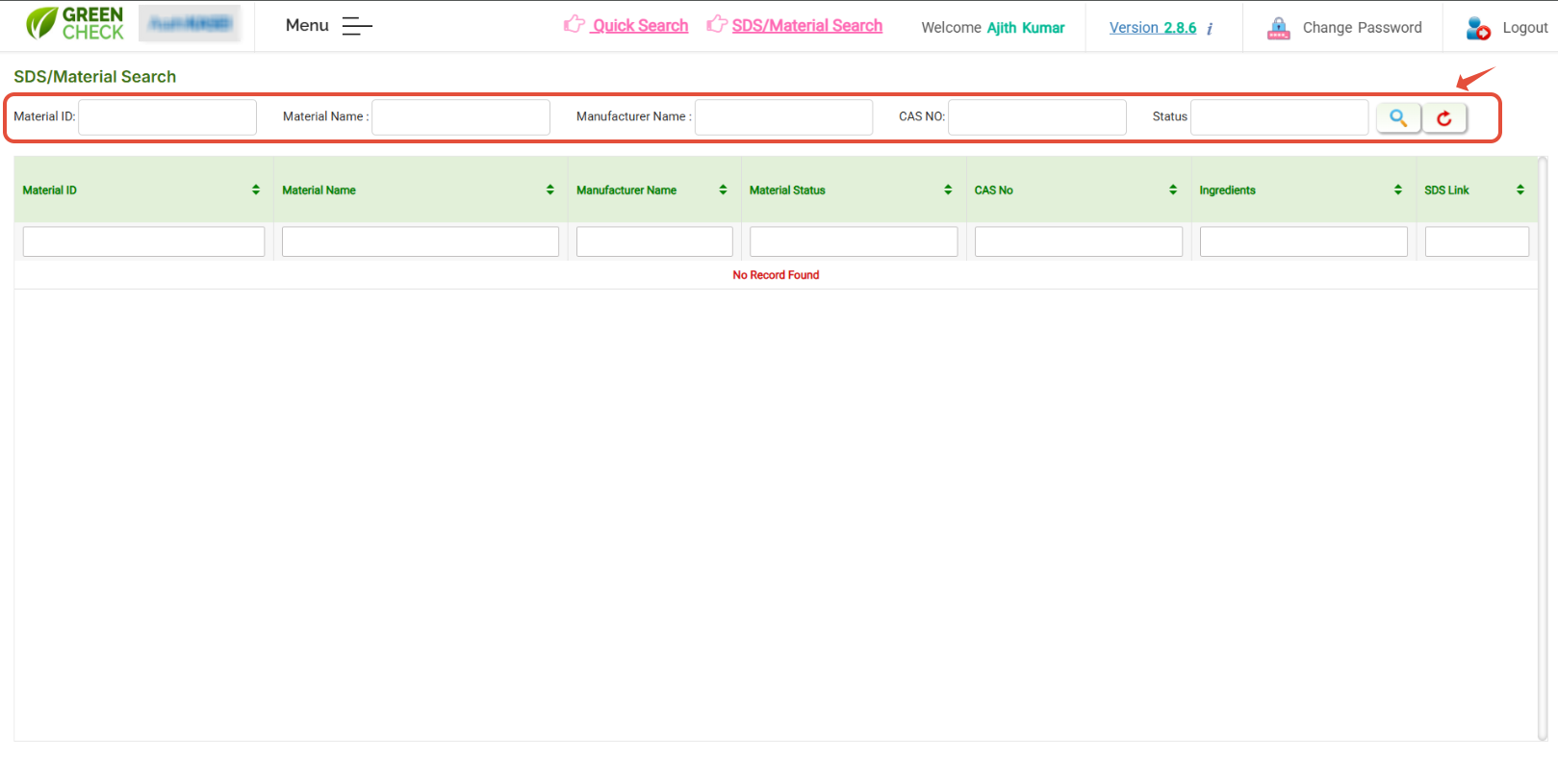
- Hit on "SDS /Material search", the page with filters will be loaded
- Use the respective search filters to search and see the results in the grid below.
Was this article helpful?
That’s Great!
Thank you for your feedback
Sorry! We couldn't be helpful
Thank you for your feedback
Feedback sent
We appreciate your effort and will try to fix the article